

Overseeing an online casino account requires more than recalling a password. For Australian players, a well-kept account at Bwin login help Casino encompasses everything from registration and ID checks to login security, deposit controls, and responsible gambling tools. This article guides you through what to check when you set up and manage your account, which documents to have ready, and how to lock down access. Because account details are connected to real money transactions, getting these basics cuts down on delays, stops lockouts, and safeguards your money and personal data safer. We focus on practical steps you can take on the registration and login pages, not on promotions or game selection, so you can move through the process without doubting yourself. The advice is for players who aim to dodge common verification and security slip-ups.
Qualification and Preparing for Registration
Before you initiate the sign-up form at Bwin Casino, verify you meet the essential eligibility rules for Australian players. You need to be at least 18, provide a current residential address, and acknowledge you aren’t currently blocked through an Australian self-exclusion scheme. Have a current email address and mobile number handy — they’re utilized for security alerts and verification links. Utilize an email account you access often, and safeguard it with its own strong password. The details you provide must match with the documents you plan to submit later; mismatches in name, date of birth, or address are a frequent reason verification gets stuck. Investing a few minutes assembling accurate personal info before you start can streamline the registration process and cut down on support back-and-forth.
Preparation also entails choosing a password you haven’t used elsewhere and determining how to keep it safely. A password manager can create a long, random passphrase — that’s usually more secure than attempting to devise something memorable on the fly. Don’t employ your name, birth year, or the word Bwin in the password; those patterns are easy for automated tools to crack. On the device you’ll use, confirm the operating system and browser are up to date, and don’t submit the registration on public Wi-Fi. If you later require to demonstrate your identity, having a clear photo of your driver licence or passport available saves time. These prep steps don’t require any special tech know-how, but they reduce mistakes that would otherwise necessitate support to handle.
Identity Verification and KYC Obligations
Identity verification, often referred to as KYC, is typical for casino account administration in Australia. It confirms that the person creating the account is the same person who controls the payment methods and will later request withdrawals. When Bwin Casino asks for documents, you’ll usually need to submit a clear photo or scan of a government-issued photo ID — an Australian driver licence or passport. You might also have to provide a separate proof of address, like a recent utility bill, bank statement, or government letter displaying your name and residential address. The review team verifies these documents against the details you entered at registration, so spelling and address format are important. If your ID includes a middle name, use it uniformly on the account form and in your uploaded files.
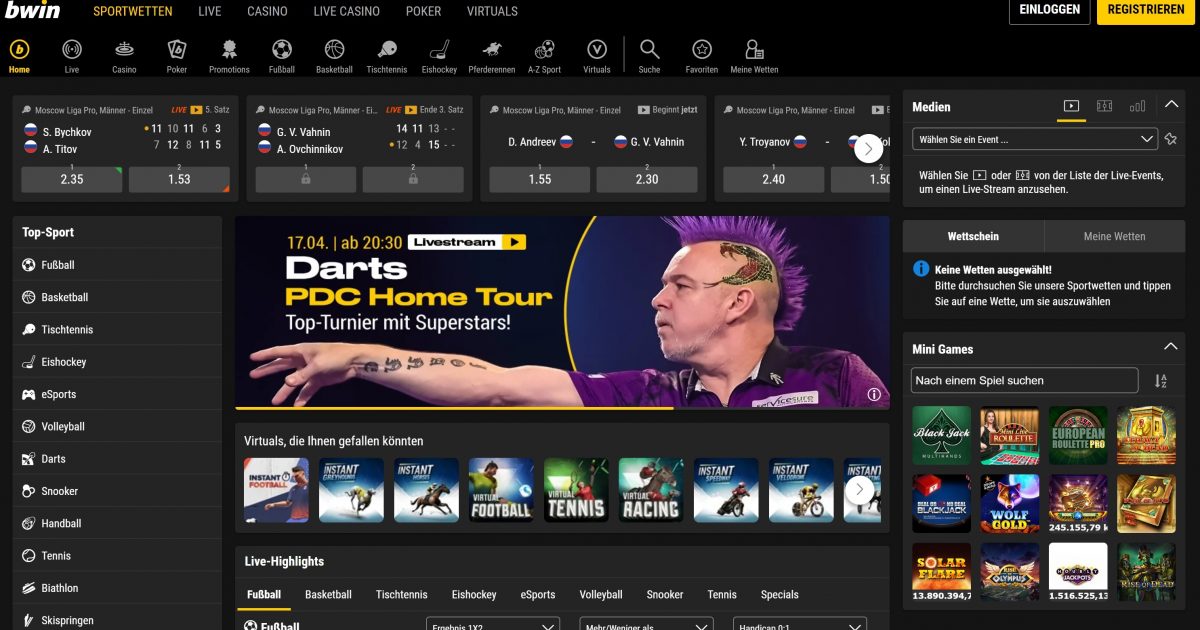
After you upload your documents, review times vary with volume and file clarity. Verification often wraps up within a few hours to a few days, but refer to the official Bwin Casino page for any service updates. While your documents are under review, some account functions — especially withdrawals — may be temporarily limited. That’s not a penalty; it’s intended to block unauthorised payouts. To avoid delays, capture photos in bright, even light, maintain all four corners of the document visible, and don’t use filters or edit the image. If uploading documents makes you uneasy, remember that licensed operators must safeguard personal information and only use it for legal https://www.thescore.com/nba/news/2630491 and security reasons.
Complete Account Sign-Up at Bwin Casino
The sign-up flow at Bwin Casino gathers just the information required to set up a protected account and meet Australian regulations. Once you arrive at the official registration page, you’ll typically enter your legal name, date of birth, residential address, email, and mobile number. Some forms also let you select your preferred currency — usually Australian dollars for local players — and set your initial communication preferences. You might set up a username and password right there, or you might obtain a separate email to confirm your address before you can log in. Check each field label carefully; entering a nickname instead of your legal name can cause headaches later when documents are reviewed. Opening an account is complimentary, and you don’t have to deposit straight away.
- Go to the official Bwin Casino website and click the registration or sign-up button.
- Fill in your personal details exactly as they appear on your government-issued ID.
- Choose a strong password and, if asked, a username you’ll remember.
- Send the form and check your email or SMS for a confirmation code or link.
- Finish any requested verification steps before you log in for the first time.
- Log in and review your account settings, security options, and deposit limits.
Login Security and Dual-Factor Verification

Sign-in protection is a top priority for account management, because a casino account holds personal data and can move money. Use a strong password that’s at least twelve characters in length, blending uppercase, small letters, numbers, and signs. A password manager is a handy approach to generate and keep those login details without memorising them. Do not ever reveal your password with anybody, even individuals pretending to be help desk agents; actual customer service reps will not ever ask for your complete password. If you enter Bwin Casino from a shared device, log out after each session and don’t let the browser store your password. These routines shield you against unauthorised logins and cut the risk of another person gaining control of your account.
Two-factor authentication, or 2FA, introduces a second layer of security beyond your password. If Bwin Casino provides 2FA, turn on it in your account settings as soon as you can. The most popular method uses an authentication app that produces a short-lived code on your phone, which you enter after your password. Some services also support SMS codes, but authenticator apps are generally tougher against SIM card theft. Once 2FA is active, someone who obtains your password nonetheless is unable to log in without that second factor. Maintain a spare code somewhere safe in case you can’t find your phone. Check your authorized devices regularly and remove any you no longer use.
Password Reset and Sign-In Troubleshooting
If you forget your password, the Bwin Casino login page should display a password reset link or a ‘forgot password’ option. Clicking it usually initiates a process where you enter the email address associated to your account, and the system delivers a time-limited reset message. Use that link quickly, because security links often time out in a short window. When you choose a new password, don’t reuse an old one, and save it in your password manager right away. If you fail to receive the reset email, examine your spam or junk folder first, and make sure you’re using the same inbox you used during registration. A common mistake is registering with one email address and later anticipating the reset link to arrive in a different account.
Account access issues aren’t always triggered by a forgotten password. Your account might be temporarily suspended after several failed login attempts — that’s a security feature, not a fault. In that case, taking a break a short while or following the on-screen recovery steps may let you log in again. If you believe someone else tried to access your account, notify Bwin Casino support straight away and be ready to prove your identity. Support may require your registered email, date of birth, or a copy of your ID before they can provide support, so keep those details accessible. Slow browser speed, saved passwords, or outdated apps can also cause login errors; clearing your cache or updating your browser sometimes resolves it. If the problem continues, use the official support channel rather than hunting for third-party fixes.
Account Boundaries and User Settings
A well-managed casino account offers specific deposit limits and a good understanding of withdrawal conditions. Many licensed operators, including Bwin Casino, enable you to establish daily, weekly, or monthly deposit limits from your account settings. These limits assist in managing spending and are often found in the responsible gambling or account tools section. Reducing a cap usually activates right away, while uplifting it may involve a cooling-off period, depending on the operator’s policy. Set a limit before you make your first deposit, not after a losing session — decisions made in advance prove to be more reliable. Also examine the available payment methods, because not all deposit options are valid for withdrawals, and some methods have distinct settlement speeds.
When you initiate a cashout, the casino might require you to verify your payment method or complete any pending verification steps. That’s typical anti-fraud and anti-money-laundering procedure, not an unfair delay tactic. Check your transaction history regularly so you can spot any activity you don’t identify, and store documentation of your deposits and withdrawals. If you observe a payment you can’t account for, contact support through the official channel as soon as possible. Also ascertain whether your chosen withdrawal method has fees or maximum limits — these can be imposed by banks, e-wallets, or card issuers, not the casino. Grasping these account features before trouble hits spares time and annoyance.
Regular Account Monitoring and Responsible Gambling Tools
Account management continues after registration and verification. Examine your Bwin Casino account activity at least once a month, or more often if you play regularly. Look for login alerts, changes to your email or phone number, and any deposit or withdrawal you didn’t approve. If the platform sends notifications for account changes, enable them so you get a prompt warning if someone tries to modify your details. Consider responsible gambling tools as part of normal account maintenance, not as an emergency measure. These tools can include deposit limits, session time reminders, temporary cooling-off periods, and self-exclusion options. For Australian players, the national BetStop self-exclusion register delivers extra protection across multiple licensed operators, and it’s worth understanding how it works.
If you use a responsible gambling tool, apply it to the account you use most often and mark when the restriction period starts and ends. A short pause can help you review your playing habits without closing the account permanently. You can also contact support for help with account closures, deletion requests, or questions about how tools work. Keep in mind that account managers and support teams are there for security and regulatory matters, but they cannot give financial or gambling advice. Keeping your contact details up to date guarantees you get important security notices, verification requests, and responsible gambling information. Managing account management as an ongoing task reduces risk and keeps your focus on safer play.